

Exploring the SD#5 Design Lab
This week’s class focused on Innovation in Education, at the SD#5 Design Lab. Rather than functioning as what some might think of as a traditional IT room, the Design Lab is a flexible, creative Maker Space where students can build, test, design, and prototype their ideas in hands-on, meaningful ways.
What the SD#5 Design Lab Is
The Design Lab is intentionally designed to support multiple ways of accessing learning. It’s a space filled with tools, materials, and opportunities for students to imagine, experiment, and problem-solve. One of the most surprising features?
The lab has over 30,000 LEGO pieces! A simple but powerful tool that can help students prototype, design, storytell, build structures, and work collaboratively.

Before this physical space existed, the teacher who runs it travelled between schools with bins of materials, offering pop-up making experiences for students. Soon, teachers can book the Design Lab online, bringing their classes in for sessions tailored to their learning goals.
How the Design Lab Supports Innovation in Education
Innovation in education isn’t only about integrating new technology, it’s about reimagining how learning happens. The SD#5 Design Lab encourages:
- Creative problem-solving
- Designing
- Multi-sensory, hands-on learning
- Student-led inquiry and exploration
- Flexible, interdisciplinary projects
The space invites students to move beyond textbooks and worksheets and instead engage in real design, building, and collaborative thinking.
What Stood Out to Me
What stood out most was how intentionally the space is set up to spark curiosity. From the tools and materials to the open layout, everything invites students to explore. I also appreciated how the lab emphasizes the learning process over the final product. Mistakes, revisions, and “trying again” are all part of the journey.
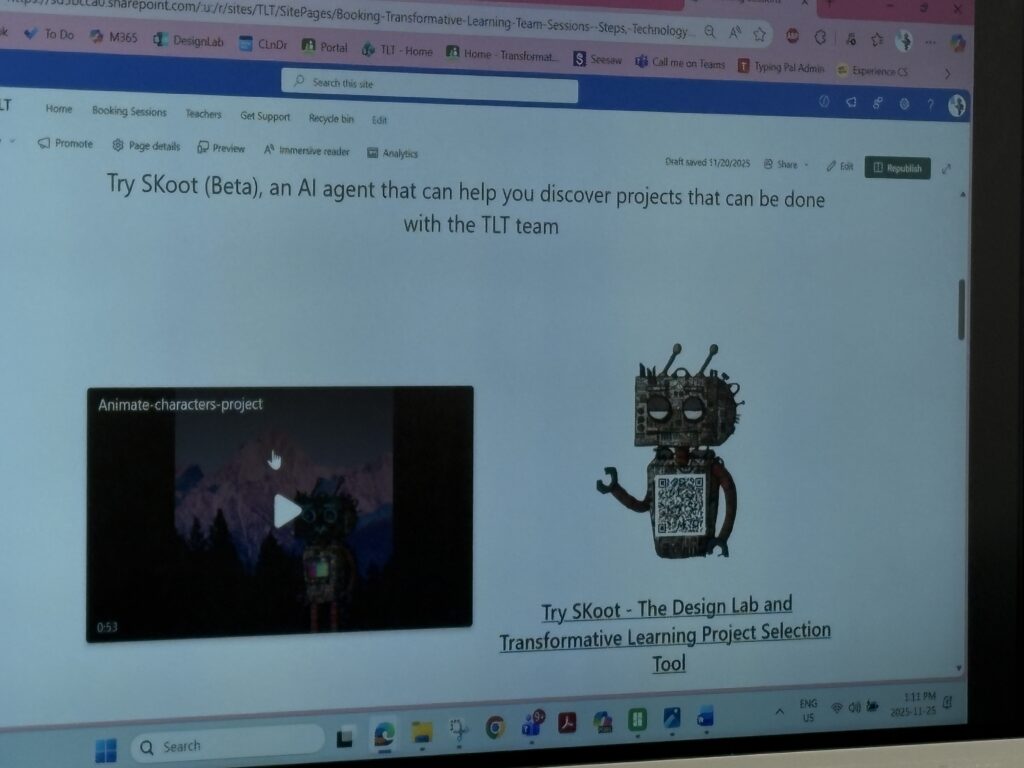
I also loved hearing that the lab is connected to SKoot, a district resource full of cross-curricular lesson ideas that teachers can use to plan meaningful, integrated projects before bringing students to the Design Lab. It’s a great way to connect classroom learning with hands-on making.
I also learned that SD employees have access to Adobe Express. It is like Canva, but since I’m already a district employee, I don’t have to pay extra for the fantastic features it offers. What a win!
Activities I Explored
I tried several activities that gave me a real feel for what students experience in the lab:
- ChompSaw – Great for safely shaping and cutting materials during prototyping.
- Cricut Machine – I used this to create designs for our upcoming Innovation Day on Friday, blending creativity and digital design.
- 3D Printer – Watching a design come to life layer by layer made me think about how inspiring this could be for students.

- Button Making – This was such a simple but fun activity. It would be perfect for student identity projects, classroom branding, or creating badges during inquiry challenges.

Trying these activities helped me see just how accessible and engaging hands-on learning can be for all learners.
How I Would Use the Design Lab With Students
I can imagine using the Design Lab as a natural extension of inquiry-based and project-based learning. By using SKoot ahead of time to plan cross-curricular ideas, I could bring students in to:
- Build models for science or social studies
- Explore shapes, structures, and measurement in math
- Create artifacts connected to literacy (character badges, story settings, symbolic objects)
- Work through STEM challenges
- Prototype solutions to real-world problems
- Collaborate on group builds using LEGO or recyclable materials
Because the lab is bookable online, teachers can intentionally schedule sessions during units where hands-on learning would deepen student understanding.
A Project I Would Love to Do
One idea I’m excited about is a “Community Landmarks Design Challenge.” My oldest daughter is currently working on the idea of community in her class, and I feel like this would be a super fun idea! Students would:
- Research a meaningful place in our community
- Use SKoot to explore cross-curricular connections
- Sketch a blueprint
- Build a prototype using LEGO, Cricut elements, cardboard, or the 3D printer
- Test and refine their structure
- Present their model and explain its significance
This type of project blends social studies, math, literacy, engineering, and art. Talk about cross-curricular! Exactly what innovation in education is all about.